





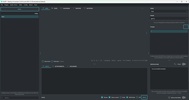

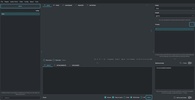


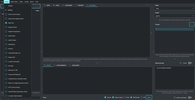
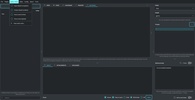
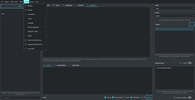

PyGPT is an innovative tool designed to integrate into Windows systems and offer an advanced experience through an intuitive and versatile conversational AI model. This app relies on AI technology to provide fast responses, personalized assistance and an efficient experience tailored to multiple contexts ranging from professional to personal. With a streamlined design, advanced features and a user-friendly interface, PyGPT is a great solution for users looking to boost their productivity, improve automation processes or implement an advanced digital assistance tool. If you're looking for a flexible, quality solution that combines AI and advanced features on Windows, download PyGPT for free.
Advanced experience with AI directly in Windows
PyGPT is an innovative tool that leverages AI-based language models to deliver a smooth and straightforward user experience in a Windows environment. The tool incorporates GPT model functions to answer queries, assist with specific tasks, perform analysis and provide automatic responses tailored to the context of each user. PyGPT is not just a chatbot; it is an advanced solution that can be configured according to the particular needs of each user.
Advanced features for a tailored and versatile experience
PyGPT is equipped with a wide range of features that enable versatile and personalized interaction. With this tool, you'll be able to perform tasks ranging from answering simple questions to performing complex analyses or executing specific commands. Its intuitive design means that using its features, whether for research, daily work, data analysis or any other task that requires a fast and efficient AI tool, is straightforward for users.
Fast setup and ease of use for anyone
One of the advantages of PyGPT is its ease of installation and configuration. Unlike other tools that may require a high level of technical expertise, PyGPT is designed to be accessible even to novice users. Installation is quick and straightforward, allowing users to start taking advantage of its features almost immediately.
Boost productivity with intelligent automation features
In a professional environment, PyGPT is a powerful tool for users looking to optimize their daily tasks through intelligent automation features. With this tool, you can automate responses, create draft emails, analyze relevant information to make decisions and generate reports quickly. PyGPT has the ability to process large volumes of data and deliver pattern-based conclusions, making it a strategic resource for teams that value efficiency and real-time analytics.















Comments
There are no opinions about PyGPT yet. Be the first! Comment